Home / Query-based update failed because the row to update could not be found
Query-based update failed because the row to update could not be found
Query-based update failed because the row to update
could not be found, Query-based update failed,row to update could not be found
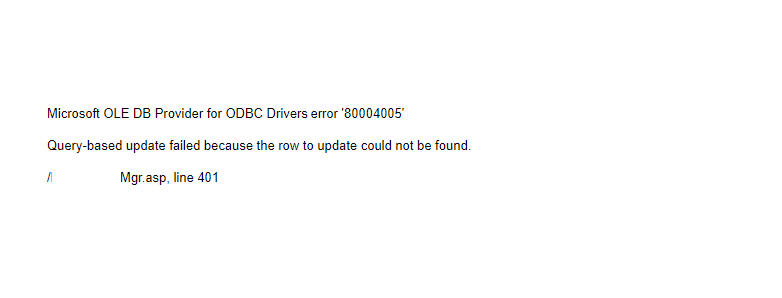
Mysql Commands to update the database failed.
I have been using ADO and Mysql for years and for some unknow reason I had a problem updating the records with this error: "Query-based update failed because the row to update
could not be found".
The message does not actively explain the problem and really does not connect with the problem. For example I could retrieve the record and display the record. As long as comment out all of the actual assignments of data the update would work. By assignment I mean "rs("datestamp") = now()". As long all the assignments are commented out it would work.
Here is my ADO code that fails:
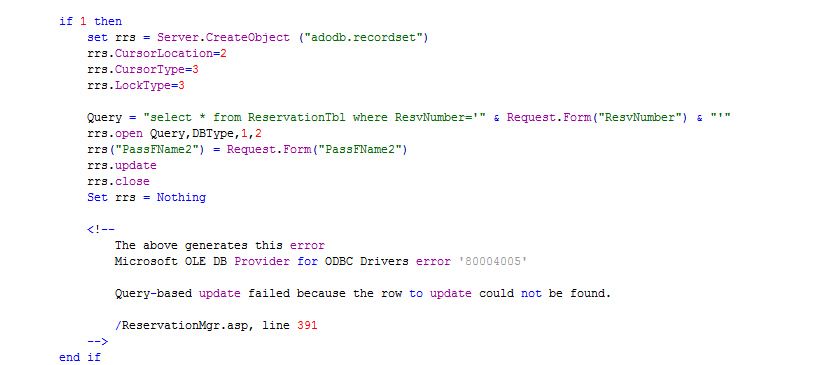
I had to switch the way I used the ADO
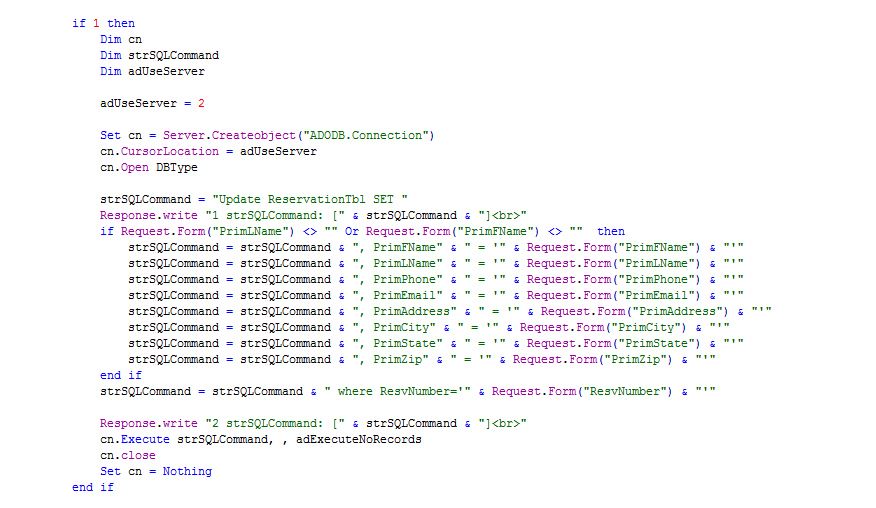
I had to change the way I was doing the updates. I basically had to drop the rs("PassFName") to use the mysql Update command.